
Notion Life Dashboard
$24.99
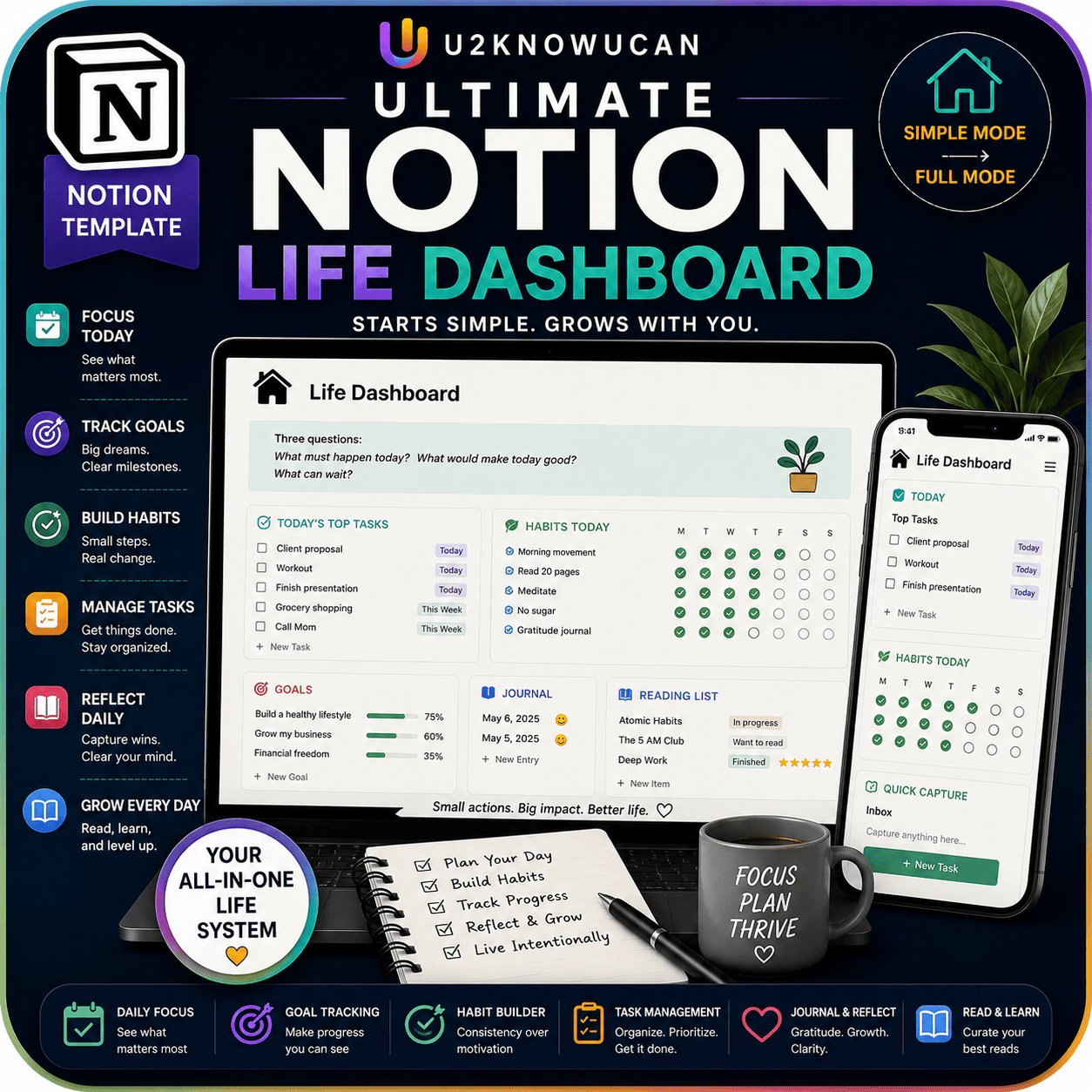
All-in-one Notion hub: goals, habits, tasks, weekly plan, journal, and reading list. The only template you need.
Description
Stop juggling five apps. Bring it all into one.
The Notion Life Dashboard brings your goals, habits, tasks, weekly plan, journal, and reading list into one clean, connected space. So instead of five logins, you get one workspace. And instead of five habits to maintain, you get one system that works.
Why One Dashboard Beats Five Apps
Most people spread their life across separate apps. So goals live in one app, habits live in another, and tasks live in a third. Then nothing connects. So you spend more time switching tabs than actually making progress.
This dashboard fixes that. Because everything lives in one Notion workspace, your goals, habits, and tasks can finally talk to each other. So a weekly plan can pull from your goal tracker, and your daily journal can reflect what actually happened, not just what you hoped would happen.
What Is the Notion Life Dashboard?
This is a digital Notion template, not a paper planner. So it lives inside your own Notion account, and it updates the moment you click, type, or check a box. No paper to lose, no separate file to open. Just one workspace that’s always right where you left it. We built it to start simple. Then it grows with you, so you add complexity only when you’re ready for it.
Who This Dashboard Is For
You’ll like this dashboard if you’re tired of juggling separate apps for every part of your life. You’ll also like it if you want one system, not five. And if you plan on your phone as often as your laptop, this dashboard meets you there — we built it mobile-first from the ground up.
What’s Inside
- A goal tracker with quarterly milestones
- A habit tracker
- A visual task board
- A weekly planning page
- A daily journal
- A reading list
- A quick-capture inbox, for anything that doesn’t have a home yet
How to Use It
First, start with the daily view. You’re not overwhelmed by every feature on day one. Next, log your tasks on the task board and jot down quick thoughts in the capture inbox as they come up.
Then, once the daily habit feels natural, open the weekly planning page. So you can zoom out and see the bigger picture. Add the goal tracker when you’re ready to aim further ahead, and use the reading list and journal whenever you want a slower, reflective moment. Because the system grows with you, you never have to set it all up at once. So week one might be tasks and a daily journal entry, and month three might be a full goal-and-habit system. Either way, the dashboard meets you where you are.
Why This Dashboard Works
- One Workspace, Not Five Apps — Goals, habits, tasks, journal, and reading list all live in one connected place.
- Starts Simple, Grows With You — Begin with the daily view, then add complexity only when you’re ready.
- Mobile-First Design — It works just as well on your phone as it does on your desktop.
- Built to Last — Lifetime access and free updates mean the dashboard keeps improving, at no extra cost to you.
Format and Delivery
Our digital Notion template gets delivered as an instant download link right after checkout. So there’s no shipping and no waiting. You’ll need a free or paid Notion account to use it. Once you duplicate it into your workspace, you get lifetime access and free updates for good.
Let’s Get Started
Duplicate the dashboard into your Notion account, open the daily view, and log today’s first task. Because the system starts simple and grows with you, there’s no wrong way to begin, and no feature you have to touch before you’re ready.

Reviews
There are no reviews yet.